Choose how long to snooze, right when your alarm rings
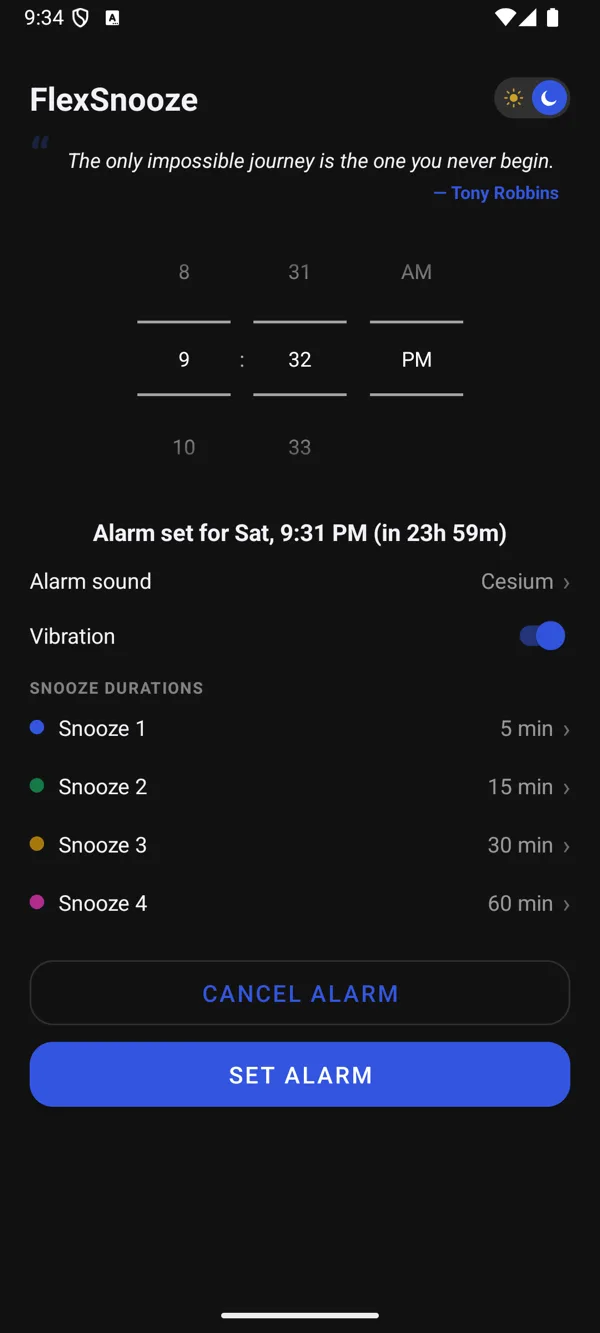
FlexSnooze is an alarm clock with custom snooze times. Instead of deciding the night before, you tap 5, 15, 30 or 60 minutes (or whatever you set) at the moment you actually wake up.
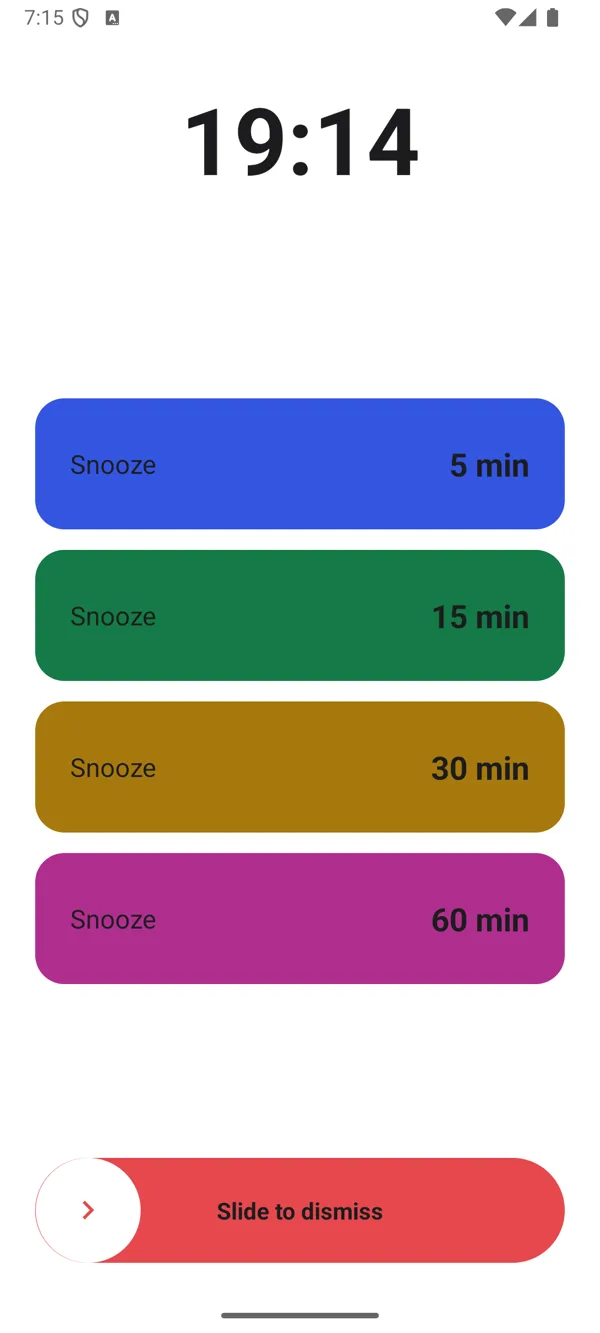
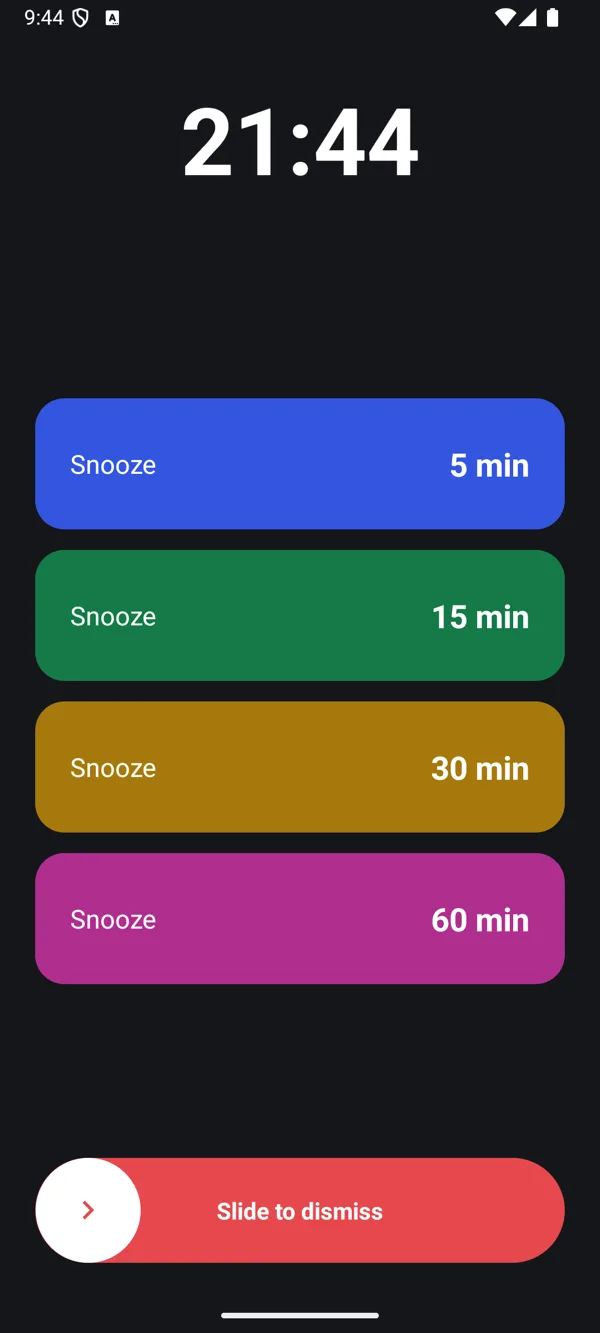
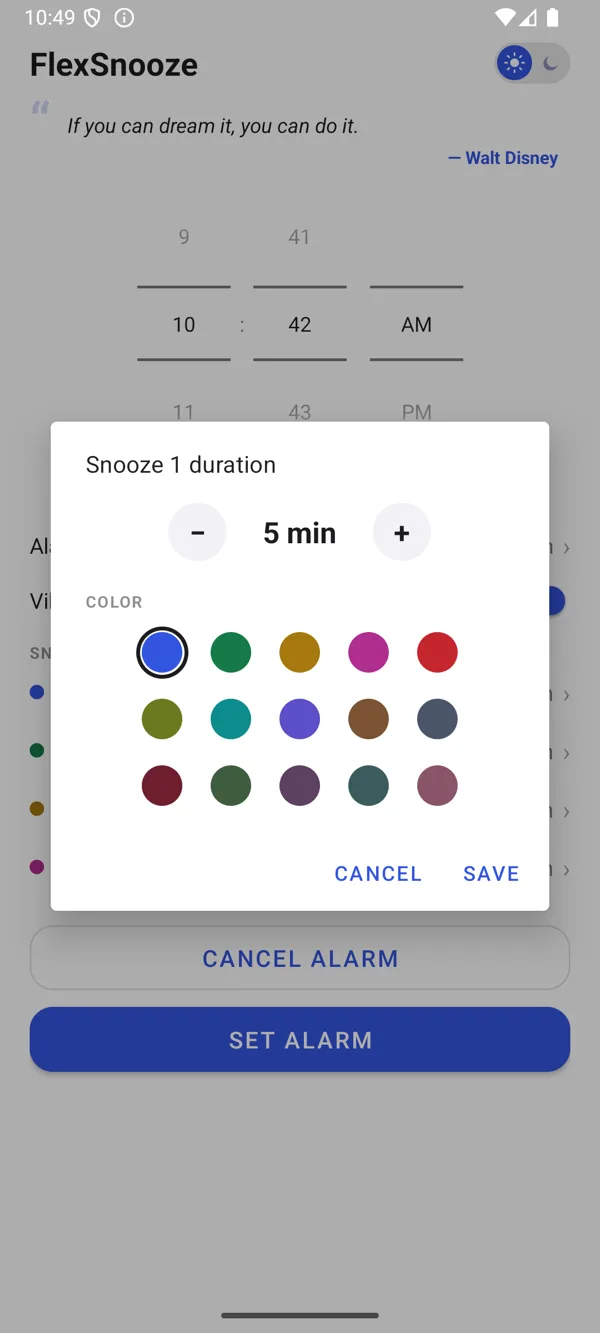
You can’t know how tired you’ll be at 6am
Most alarm apps make you pick one snooze length in settings, once, and then forget about it. But how much more sleep you want isn’t something you can decide the night before.
So we kept FlexSnooze dead simple: no fancy features, no clutter. Just one easy decision, made in the moment, half-asleep and all. Big colored buttons, one tap, back to sleep for exactly as long as you need.
And because a morning goes better with a little encouragement, FlexSnooze greets you every day with a fresh quote on the home screen.
Three steps, nothing to learn
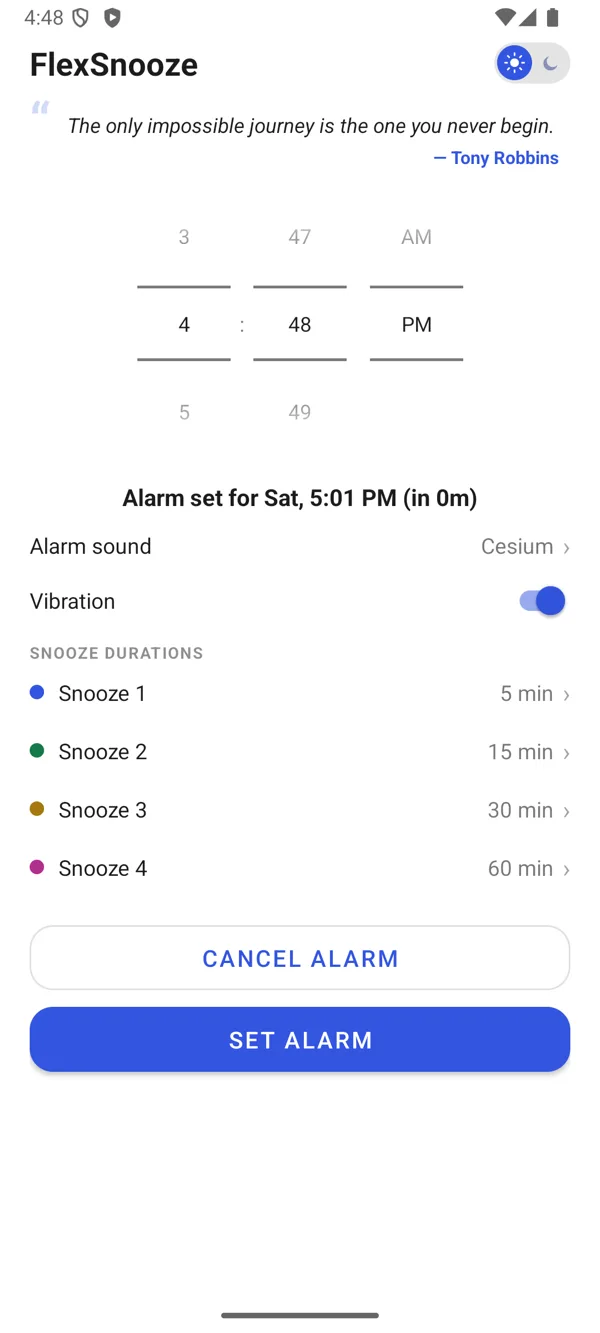
Set your alarm
Pick the time. The alarm repeats every day until you cancel it.
Set your four snooze buttons
Give each button any length from 1 to 180 minutes and its own color, so you can tell them apart half-asleep.
Choose when it rings
Tap the snooze length you want right now, or slide to dismiss. Your alarm time never moves.
Everything you need, nothing you don’t
Pick your snooze at ring time
Four snooze buttons on the alarm screen, so you choose each morning instead of once in settings.
Custom snooze durations
Set each button from 1 to 180 minutes.
A fresh quote every day
One short quote, with its author, on your home screen, picked from about 50 well-known quotes to start your morning on a good note.
15 snooze colors
Color-code your buttons so the right one is obvious at a glance.
Use your own alarm sound
Choose a built-in sound or any audio file from your phone.
Slide to dismiss
A deliberate slide means no accidental taps turning your alarm off.
Light and dark themes
Switch with one tap; the alarm screen follows your choice.
Vibration on or off
Silent-friendly when you need it.
Survives a restart
Your alarm is restored automatically after your phone reboots.
Works fully offline
No internet connection needed, ever. Your alarms, snooze buttons and daily quote all work in airplane mode.
No ads, no tracking
No account, no analytics, no ads. Your settings stay on your phone.
One-time purchase
Pay $3.99 once. No subscription and no in-app purchases.
See FlexSnooze in action
Private by design
FlexSnooze never uses the internet and works fully offline. No account, no ads, no tracking, no data collection of any kind. Everything stays on your phone. Read the full privacy policy.
Frequently asked questions
What makes FlexSnooze different from other alarm clocks?
You choose your snooze length when the alarm rings, from four buttons you set up in advance, instead of one fixed snooze time buried in settings. It’s built for the moment you’re half-asleep and don’t know yet how much more sleep you want.
How long can I snooze for?
Each of the four snooze buttons can be set to any length from 1 to 180 minutes. They default to 5, 15, 30 and 60 minutes.
What are the quotes in FlexSnooze?
Every day FlexSnooze shows one short quote, with its author, on the home screen. It is picked at random from about 50 well-known quotes, stays the same all day, and a new one is picked the next day. The quotes are built into the app, so no internet is needed.
How much does FlexSnooze cost?
It’s a one-time purchase of $3.99 (local pricing applies in your country). There’s no subscription, no ads and no in-app purchases.
Does FlexSnooze need an internet connection?
No. FlexSnooze works fully offline and never connects to the internet; it does not even ask for internet permission. Your alarms, snooze buttons and daily quote all work in airplane mode. If you use your own alarm sound, choose a file that is stored on your phone.
Does FlexSnooze collect my data?
No. The app has no internet access, so nothing can leave your phone. Your alarm time, sound and snooze settings are stored only on your device.
Can I use my own alarm sound?
Yes. Pick one of the built-in sounds or choose any audio file stored on your phone.
Will my alarm still ring after I restart my phone?
Yes. FlexSnooze restores your alarm automatically after a reboot, and the alarm repeats every day until you cancel it.
Why does FlexSnooze ask for notification permission?
The alarm uses a notification to wake your phone and show the alarm screen with your snooze and dismiss buttons. If notifications are off, your alarm may not go off properly. FlexSnooze never sends anything else.
Is there an iPhone version?
Not at the moment. FlexSnooze is for Android phones running Android 8.1 or newer.
Wake up on your own terms
Stop deciding your snooze the night before. Decide when it rings.